Free Online Graph Paper — Virtual Grid Canvas
Draw on virtual graph paper in your browser. Enable the grid background, pick up the pen, and plot graphs, sketch circuits, map coordinate geometry, or draft engineering layouts — all free, no login required.
What Online Graph Paper Is — and When to Use It
A gridded digital canvas for precision drawing and graphing.
Online graph paper is a digital drawing canvas with a grid background — evenly spaced horizontal and vertical lines that give you reference points for precise drawing. Unlike physical graph paper, it never runs out, you can zoom in for detail, and you can export your work as a clean PDF at any size.
On OnlineWhiteboard.org, enable the grid background in the canvas settings. The grid appears underneath your drawing as a reference layer — it shows in the canvas view but does not appear on PNG or PDF exports unless you draw on top of it. This gives you precision drawing without grid lines cluttering your final output.
What You Can Draw on Virtual Graph Paper
Common use cases for gridded drawing — all supported free.
Coordinate Geometry & Graphs
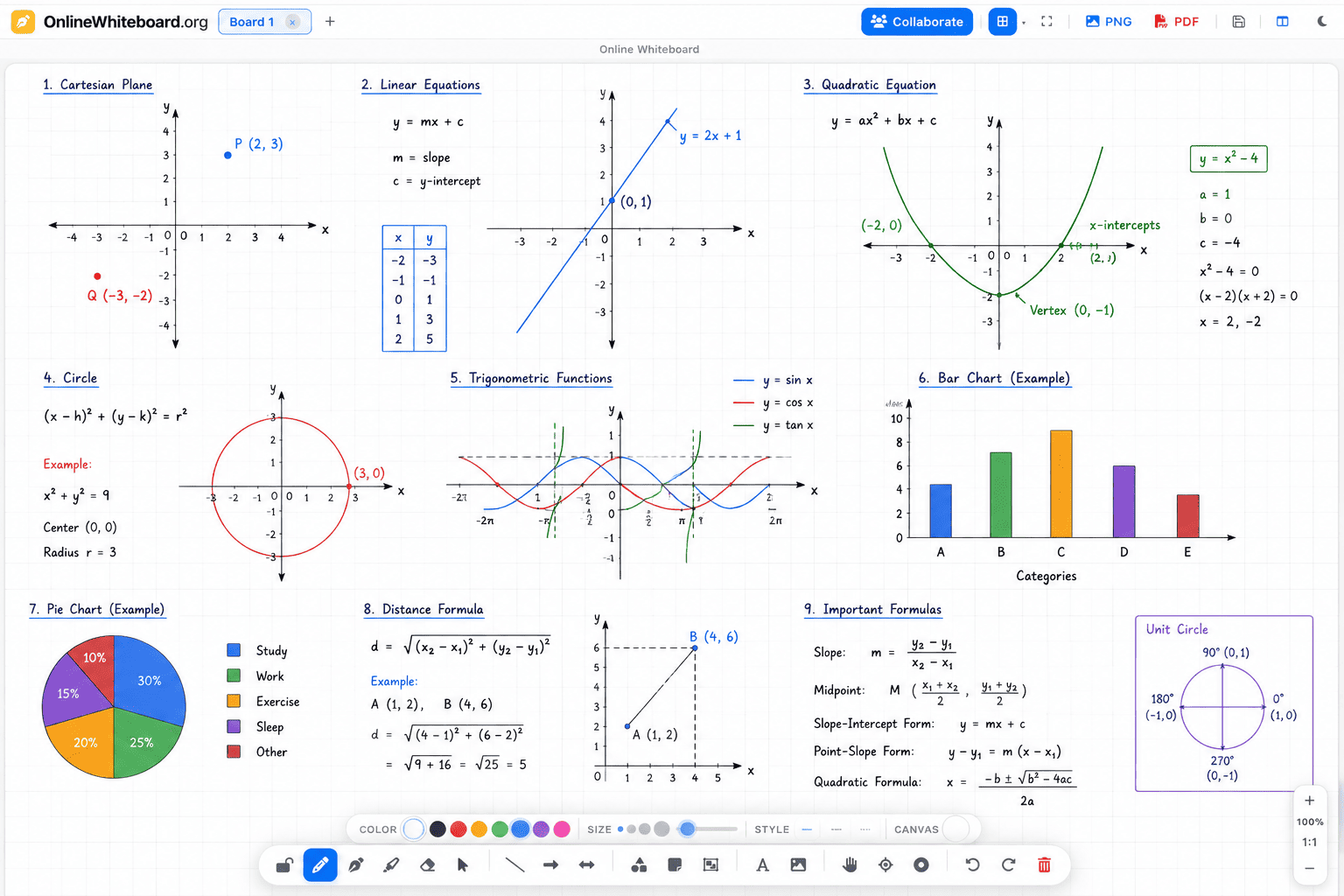
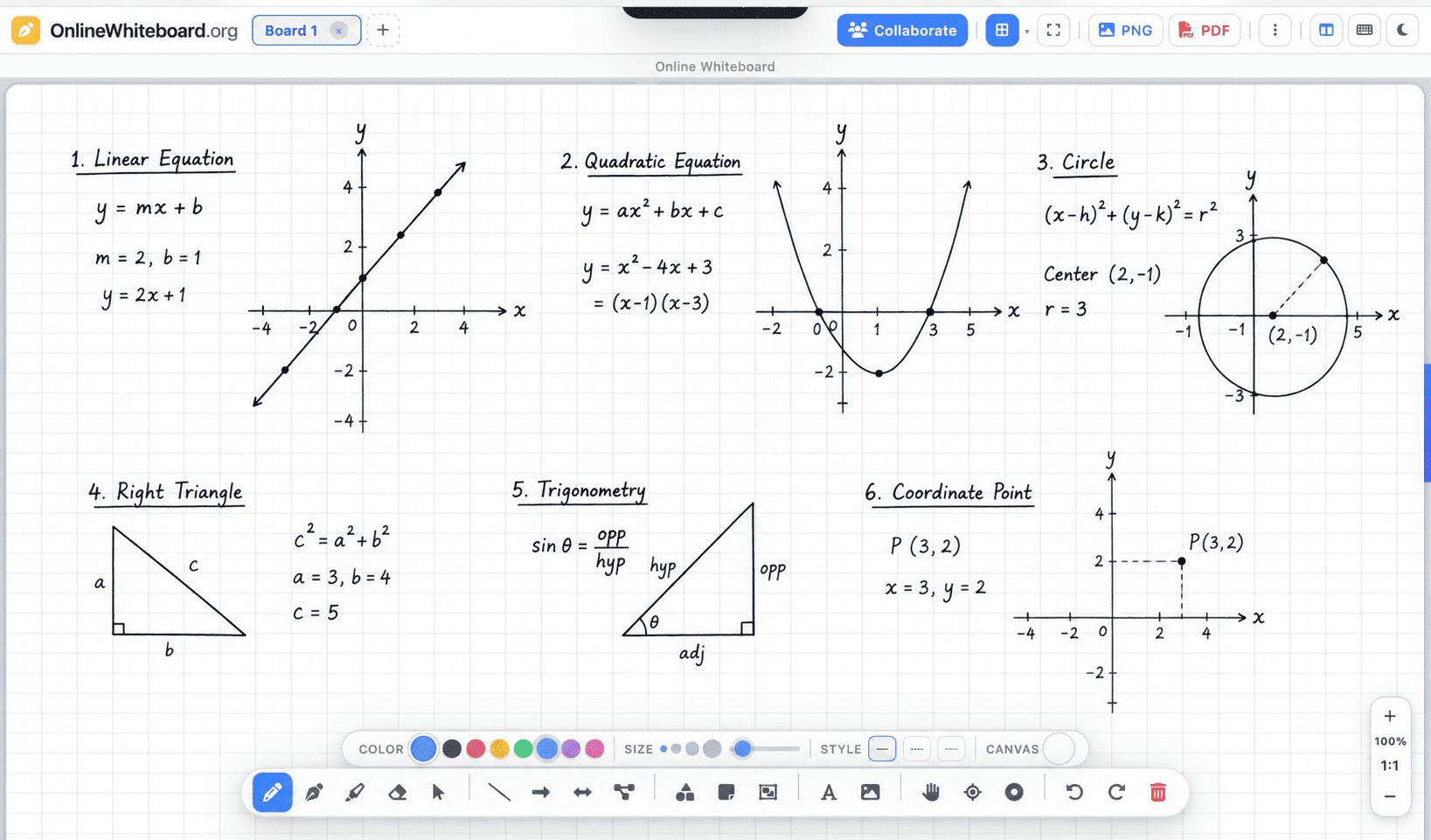
Plot points, lines, parabolas, and circles on a coordinate plane. The grid squares act as your axis reference for accurate sketching of algebraic curves.
Circuit Diagrams & Schematics
Draw resistors, capacitors, and logic gates with the grid as a reference for component spacing and wire alignment — the foundation of electronics drafting.
Floor Plans & Architecture Sketches
Use the grid as a scale reference — each square represents a fixed unit of length. Sketch room layouts, furniture arrangements, and building footprints proportionally.
Engineering & Technical Drawings
Draft isometric projections, mechanical part sketches, and tolerance diagrams with the grid providing consistent reference spacing.
Maths Working — Algebra & Calculus
Show working for differentiation, integration, and function transformations with graph sketches alongside written equations.
Grid Maps & Game Design
Design tile-based game maps, dungeon layouts, and grid-based puzzles — every cell is a tile, drawn and annotated precisely.
Bar Charts & Column Graphs
Draw manual bar charts and histograms on a grid background for data visualisation that does not require a chart tool.
Pixel Art Planning
Plan pixel art and sprite design on the grid — each square becomes a pixel, coloured with the fill tool.
Export Grid Drawings as PDF
Export your graph paper drawing as a PDF — useful for sharing engineering sketches, homework, or lesson materials.
How to Use the Grid Background
Enable the grid and start drawing in three steps.
Enable the Grid Background
Open onlinewhiteboard.org. In the canvas settings (gear icon or background menu), select the grid or dotted grid background. The lines appear immediately as your drawing reference.
Choose Your Drawing Tool
For precise lines along the grid, use the line or shape tool. For organic sketching over the grid, use the pen or calligraphy tool. For labels, use the text tool at grid intersections.
Export Your Drawing
When done, click PNG or PDF. Your clean drawing exports — the grid serves as a reference layer and the exported output is clear and professional.
Frequently Asked Questions
Does the grid appear on the exported PNG or PDF?
The grid is a canvas background reference. Your exported PNG and PDF show your drawings cleanly — the grid background does not appear in exports unless you have explicitly drawn grid lines yourself.
Can I adjust the grid spacing?
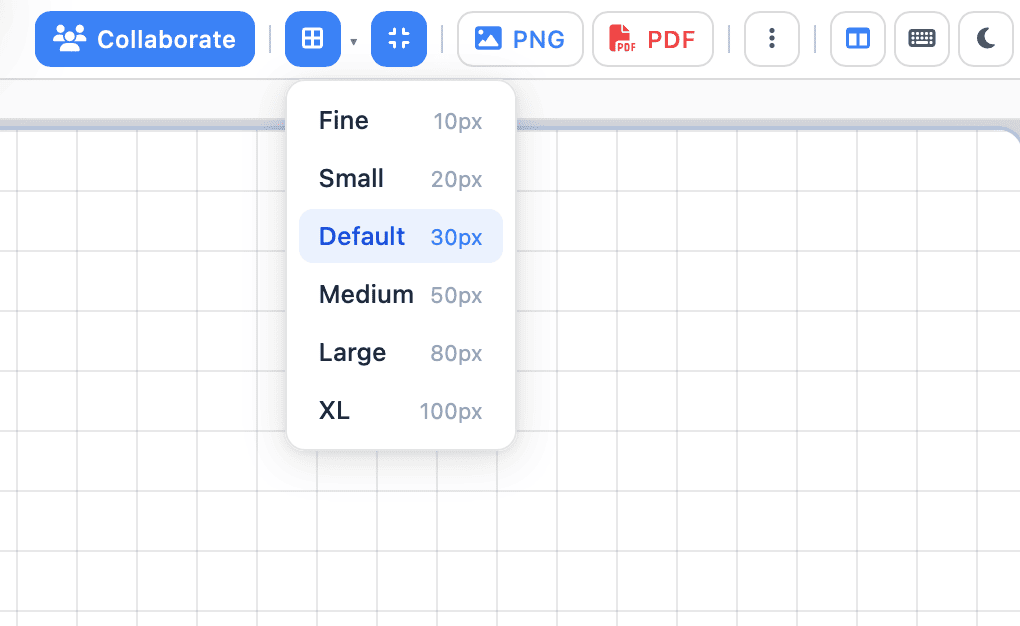
The grid spacing can be adjusted in the canvas background settings. Choose a finer or coarser grid depending on your drawing precision requirements.
Is this suitable for maths homework and exams?
Yes — students use the grid canvas to sketch graphs for algebra, calculus, and statistics coursework. Export as PDF to include in submitted work.
Can I use dot grid instead of square grid?
Yes — a dot grid option is available in the background settings, useful for bullet journaling, isometric drawing, and design layouts.
Does it work on an iPad for drawing on graph paper?
Yes — the grid canvas works on iPad in Safari. With Apple Pencil, you can draw with grid-assisted precision. See iPad guide →
Can I draw a coordinate axis on the grid?
Yes — use the line or arrow tool to draw x and y axes directly on the grid. Label them with the text tool. The grid squares then serve as unit increments.